AI browser
An AI browser with an agent in every Space.
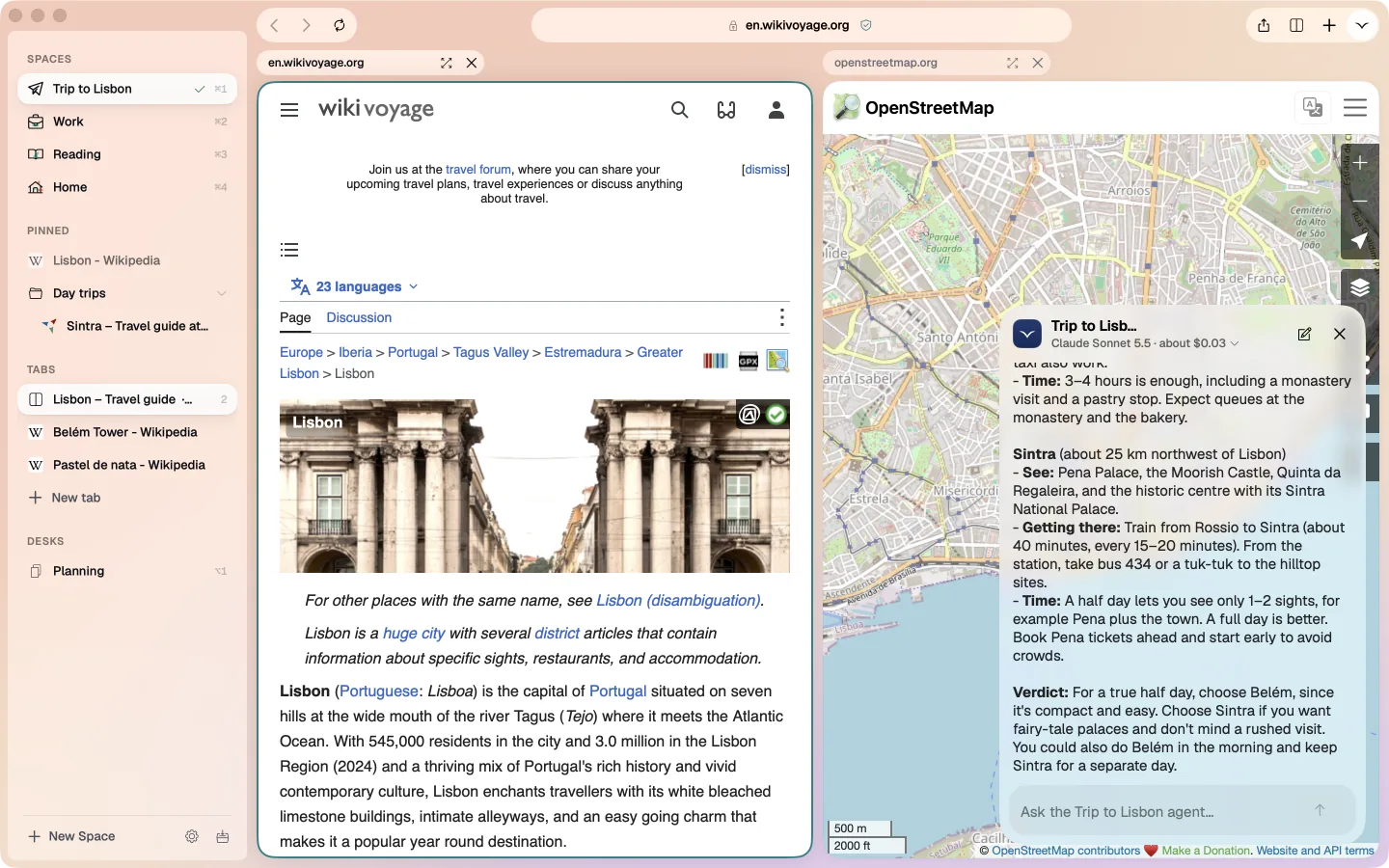
Ask Tern for what you need in plain words. Its agent opens the pages, reads them, compares them and fills them in, and checks with you before anything that sends, buys, books or pays.
Free · macOS 26 or later · Signed and notarized by Apple
How the agent works
- 1
Ask in plain words
Type into the agent panel, or ask from the command bar. Each Space has its own agent, so the Work agent never sees your holiday tabs. - 2
It reads the pages
It opens tabs in the background, reads the text, scrolls and searches, without taking over the page you are on. - 3
It answers with sources
Answers come with the pages they came from, so you can check any line with one click. - 4
It asks before it acts
Anything that sends, posts, buys, books or pays waits for your OK, shown in words beside the page.
What it may do on its own
The rules are in Tern itself, not in the prompt, so no page can talk the agent out of them.
- Reading, searching, scrolling
- Without asking, in its own Space only.
- Send, post, buy, book or pay
- Only after your OK, in words. One OK covers that site for five minutes.
- Passwords and card numbers
- Never typed by the agent, even with your OK. You fill those in yourself.
More than answers
- Tasks that repeat
- Ask for something every morning, every hour or every week, and it runs while Tern is open and tells you what it found.
- Watches
- Ask it to keep an eye on a price, a listing or a page. It only speaks up when something changes.
- Memory for each Space
- It remembers what you tell it, such as who you work with or how you like answers. Settings › Agents shows all of it.
- Your choice of model
- Claude Opus, Sonnet or Haiku, chosen per Space, on your own key from the Claude Console.
- Shared Spaces
- Share a Space with colleagues and they get its pinned links and what its agent remembers.
Questions
Is Tern free?
Yes. The browser is free. The agent runs on your own Claude API key, so you pay Anthropic for what it uses, usually a few cents a task. The Lisbon answer above cost $0.09 on Opus.
Which AI does it use?
Claude, by Anthropic. You pick Opus, Sonnet or Haiku for each Space.
Does the agent see all my tabs?
Only the tabs in the Space you ask it in. Other Spaces, your history and your other conversations stay out of it.
Is what I ask used to train models?
Anthropic doesn't train its models on API data by default. Tern keeps your conversations on your Mac. The privacy page lists exactly what is sent.
Can I use Tern without the agent?
Yes. Spaces, pinned tabs, split view, tracker blocking and extensions all work without a key.
Read next

Try Tern on your Mac
Free, for macOS 26 or later. Bring your tabs over in the first minute; the agent runs on your own Claude key.
Download for Mac