Guide
Moving from Arc to Tern
Arc stops working on 22 December 2026. Tern reads your Arc Spaces, pinned tabs and folders straight from your Mac, so the way you work comes with you. Here is what happens to Arc, and how to move in a few minutes.
Free · macOS 26 or later · Signed and notarized by Apple
What's happening to Arc
As announced by The Browser Company on 22 October 2026.
- May 2025
- The Browser Company stopped adding features to Arc. Since then it has had security and bug fixes only.
- 22 October 2026
- It announced that Arc will shut down. New Arc accounts can no longer be made.
- 23 November 2026
- On iPhone and Android, sign-in, tab sync and AI features stop.
- 22 December 2026
- Arc stops working on Mac and Windows. Accounts are deactivated, and their data is deleted within 30 days.
Move your Spaces to Tern
Do this while Arc is still on your Mac. Tern reads Arc's own files, so you don't need an Arc account or an export.
- 1
Download Tern
It's free, for macOS 26 or later. Download Tern, and keep Arc installed until you've moved: Tern looks for the Arc app to find your Spaces. - 2
Open Tern and choose Get Started
The first screen, Bring your browser with you, lists Arc with the number of Spaces and tabs it found. Spaces and Extensions are already ticked. - 3
Choose what comes over
Tick Include tabs that aren't pinned to bring the tabs you had open today as well, and add History if you want it. - 4
Choose Import
Your Spaces appear in the sidebar, and tabs load when you open them. Sign-ins don't come across, so sign in to each site once per Space.
What comes over
- Spaces
- Each Arc Space becomes a Tern Space with the same name.
- Pinned tabs and folders
- In the order Arc had them. Folders stay folders; a split view comes over as its tabs.
- Favorites
- The icons above your Spaces become a Space of their own, called Favorites.
- Tabs that aren't pinned
- When you tick Include tabs that aren't pinned.
- Extensions
- Tern downloads each one fresh from the Chrome Web Store. The puzzle piece in the toolbar lists them.
- History
- When you choose it.
- What stays behind
- Sign-ins and Arc's saved passwords.
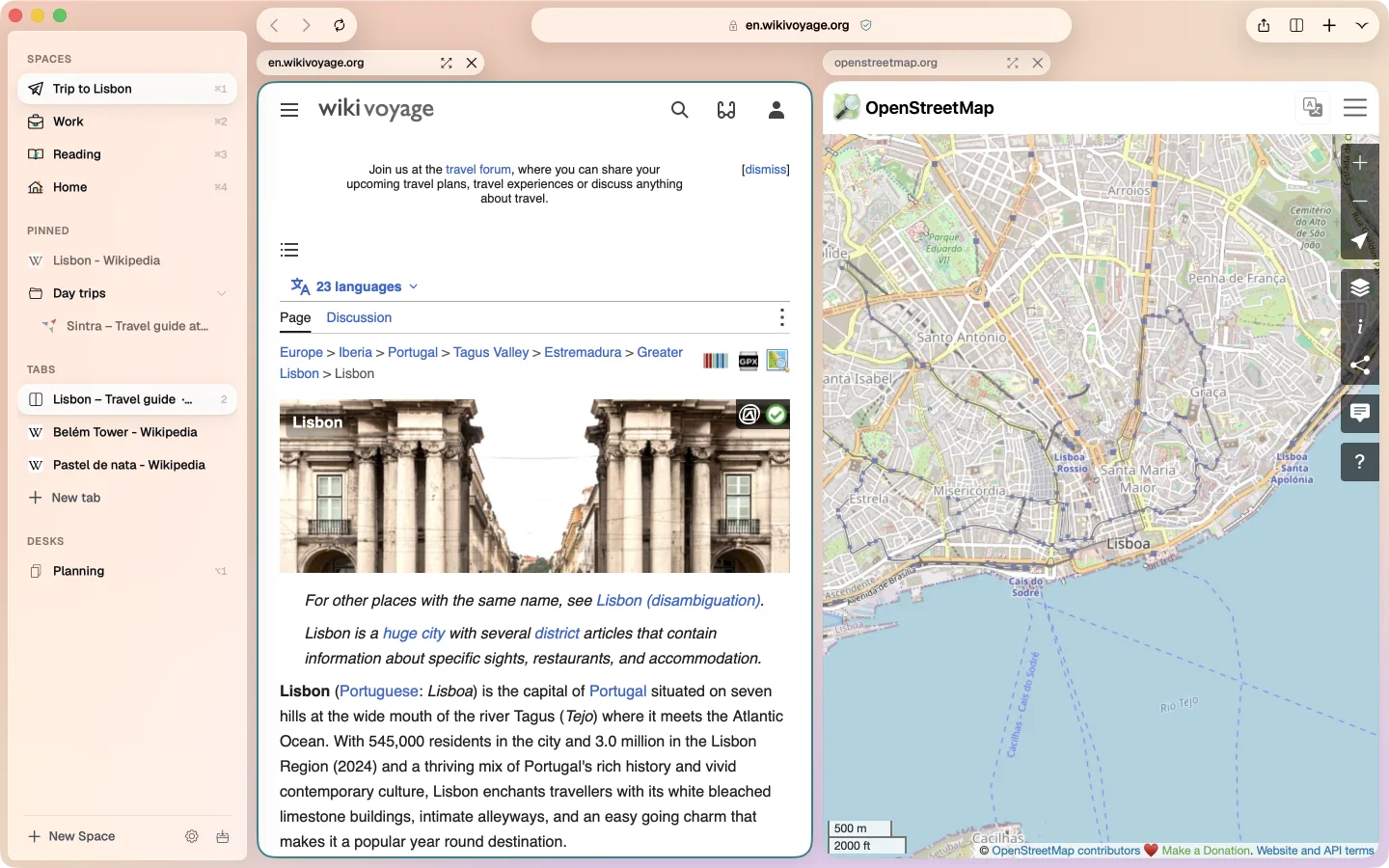
Working the way you did
- Spaces
- Each with its own pinned tabs and folders. Switch with ⌘1, ⌘2 and so on.
- Side by side
- Two to four pages in one window. How split view works.
- Sync
- Spaces, pinned tabs and folders sync through iCloud to your other Macs.
- An agent in every Space
- Optional. Ask about the tabs in a Space; it runs on your own Claude key and asks before it acts. Everything else works without it. More about the agent.
Questions
I've already set Tern up. Can I still import?
Yes. Open Settings, and under Import choose Import…. The same choices appear.
Do I need to be signed in to Arc?
No. Tern reads the sidebar file Arc keeps on your Mac, not your Arc account.
Will the import still work after 22 December?
Tern reads Arc's file on your Mac, not Arc's servers, so it should work as long as Arc and its files are still there. To be safe, move before 22 December.
Is Tern really free?
Yes. The browser is free. The agent is optional; if you turn it on, you pay Anthropic for what it uses through your own key, usually a few cents a task.
Is there a Windows version?
No. Tern is made only for Mac.
Something didn't come across
Tell us from Help › Send Feedback in Tern. We read every message.
Read next

Try Tern on your Mac
Free, for macOS 26 or later. Bring your tabs over in the first minute; the agent runs on your own Claude key.
Download for Mac