Made for Mac
A browser made for the Mac, and only the Mac.
Tern is written for macOS 26 and nothing else. It looks and moves like the rest of your Mac, keeps your Spaces in step through iCloud, and updates itself.
Free · macOS 26 or later · Signed and notarized by Apple
Native, all the way down
- macOS 26 and Liquid Glass
- Built with the system frameworks, so it follows your Mac: the glass, the type, Reduce Motion, and dark and light.
- Apple silicon and Intel
- One app for both.
- Signed and notarized
- Built with our Developer ID and checked by Apple, so it opens without warnings.
- Updates itself
- Tern looks for a new version once a day and asks before it installs one.
- Keychain
- Your Claude key and site passwords stay in your Keychain.
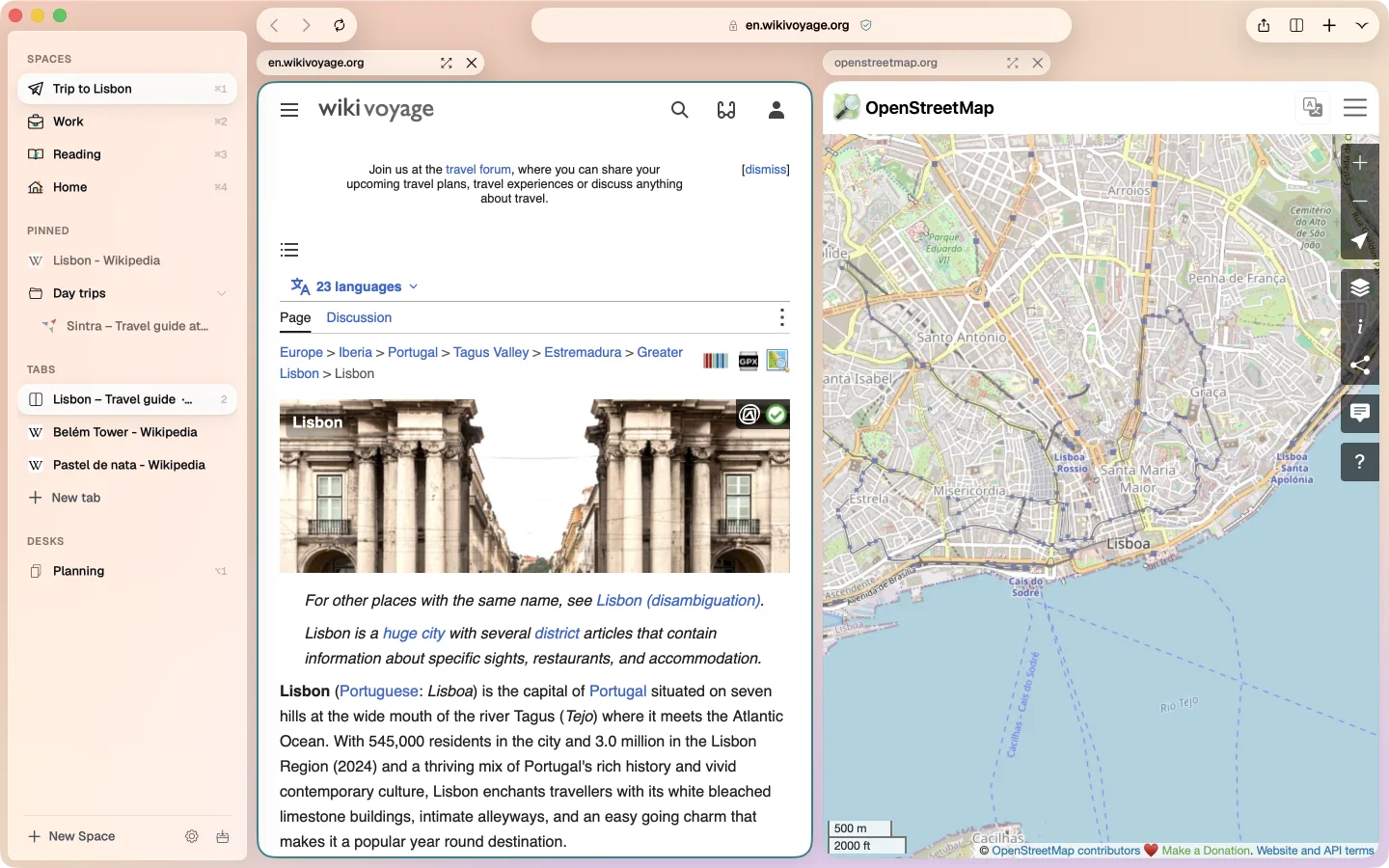
Spaces, for how you actually work
- A Space for each part of your life
- Work, home, a trip, a client. Each has its own tabs, sign-ins, colour and agent.
- Pinned tabs and folders
- At the top of each Space. A closed pinned tab sleeps in its place instead of disappearing.
- In step across your Macs
- Spaces, pinned tabs and folders sync through iCloud.
- Share a Space
- Colleagues get its pinned links, folders and what its agent remembers. Their own tabs and sign-ins stay theirs.
Quick from the keyboard
- ⌘1 to ⌘9
- Switch Spaces.
- ⌥1 to ⌥9
- Open a saved Desk: a layout of pages side by side.
- ⌘D
- Pin or unpin the tab.
- ⇧⌘T
- Reopen the tab you closed.
- ⇧⌘P
- A private window.
Questions
Which Macs does Tern run on?
Any Mac with macOS 26 or later, Apple silicon or Intel.
Is it free?
Yes. The agent uses your own Claude API key, which you pay Anthropic for by use.
Can I bring my tabs and bookmarks?
Yes. The first run brings over your Spaces, pinned tabs, bookmarks, history and extensions in one step.
How do I make Tern my default browser?
In Tern, open Settings › General and press Make Tern the Default. The guide has every step.
Read next

Try Tern on your Mac
Free, for macOS 26 or later. Bring your tabs over in the first minute; the agent runs on your own Claude key.
Download for Mac